Everyday Home Solutions
What to Do When a Garbage Disposal Hums but Will Not Grind
A garbage disposal that hums but does not grind often has power but cannot turn because of a jam, overload, or internal problem. Learn how to disconnect power, clear common obstructions, use the manual turning feature, reset the unit, and recognize when to call a professional.
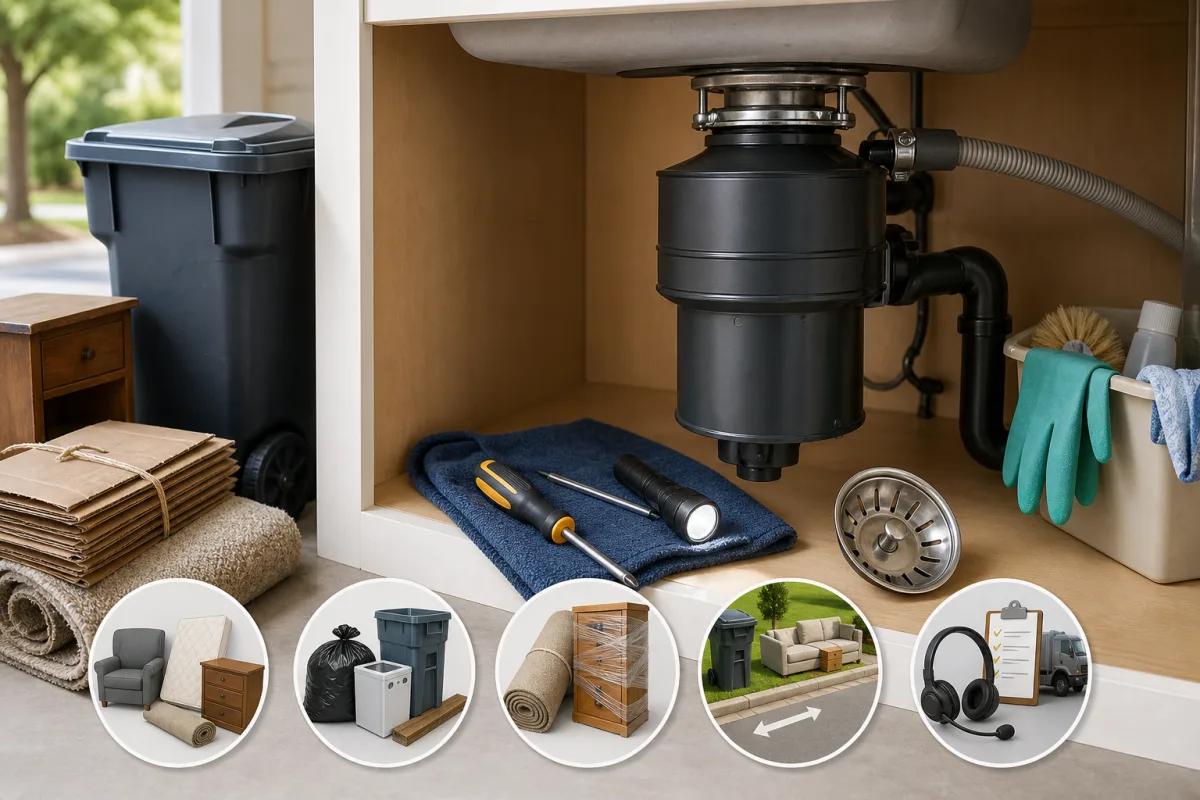
A garbage disposal that hums but will not grind is usually getting power, but its internal rotating assembly cannot move. A hard object, compacted food debris, an overload, or a worn internal part can cause the problem.
Turn the disposal off promptly. Letting a jammed unit continue to hum can overheat or damage the motor. In many cases, you can clear the obstruction safely and restore operation. If the disposal still hums after troubleshooting, stop using it and arrange professional service.
Why a Garbage Disposal Hums Without Grinding
A disposal that is completely silent may have a power, switch, outlet, circuit-breaker, or wiring problem. Humming is different: it generally means power is reaching the motor, but the motor cannot rotate the internal grinding components.
Common causes include:
- A utensil, bottle cap, piece of glass, bone, fruit pit, shell, or other hard item lodged in the chamber
- Food waste wedged around the turntable or other internal components
- An overload that caused the motor to overheat and trip its reset mechanism
- A seized or worn internal mechanism
- A failing motor
Do not keep flipping the switch on and off to make the unit start. If the rotating assembly is stuck, repeated humming can strain the motor.
Make the Disposal Safe Before Inspecting It
Before troubleshooting a disposal that hums but will not grind, make the unit safe to inspect.
- Turn off the wall switch that controls the disposal.
- Unplug the unit beneath the sink if it has an accessible plug. If it is hardwired or the plug is inaccessible, turn off the appropriate circuit breaker.
- Make sure no one can turn the disposal on while you are working.
- Never put your hand or fingers into the disposal chamber.
- Use a flashlight to inspect the opening. Use long-handled tongs, pliers, or a retrieval tool to remove objects.
Do not use chemical drain cleaner to fix a humming disposal. It will not clear a mechanical jam and can leave corrosive liquid in the unit, creating a splash hazard during later work.
Check for a Visible Jam
With power disconnected, shine a flashlight through the sink opening. Look for obvious obstructions, such as:
- Silverware or small kitchen tools
- Bones, pits, shells, or large seeds
- Broken glass or ceramic fragments
- Twist ties, plastic pieces, or food packaging
- Dense food debris caught near the internal turntable
If you can clearly see an object, remove it with tongs or pliers. Do not use your hand, even when the unit is unplugged. Sharp objects may be hidden beneath the rubber splash guard or mixed into food debris.
Some jams are not easy to see. An object may be beneath the splash guard or trapped between internal parts. If you cannot remove a visible object and the disposal remains stuck, use the model's manual turning feature if it has one.
Free the Disposal With the Manual Turning Feature
Many garbage disposals have a hex-shaped socket centered on the bottom of the unit. It accepts the disposal wrench supplied with some models or a compatible Allen wrench.
Use the bottom hex socket
Keep the disposal disconnected from power while using the wrench and while removing loosened debris.
- Insert the correct wrench into the socket on the bottom of the disposal.
- Move the wrench back and forth instead of forcing it in one direction.
- Continue until the internal turntable or rotating assembly moves more freely.
- Remove the wrench.
- Check through the sink opening again, then use tongs or pliers to remove any debris that has been loosened.
Do not force a wrench that does not fit correctly. The wrong tool can damage the socket or make the jam harder to clear.
If there is no bottom socket
Not every disposal has the same manual-release design. Some models use a different turning arrangement, while others require a model-specific tool or procedure. Check the owner's manual or manufacturer instructions before trying another method.
Do not disassemble the disposal, disconnect drain fittings, or work on electrical connections unless you are qualified to do so.
Reset an Overloaded or Overheated Disposal
A disposal can overheat when it is jammed, overloaded, or run too long. Many units have a reset button, commonly located on the underside of the housing.
After clearing an obstruction:
- Leave the disposal off and allow the housing to cool, following the manufacturer's instructions. Many models need several minutes after an overload.
- Find the reset button on the bottom of the unit.
- Press the button firmly.
- If the button will not stay engaged or repeatedly trips, leave the disposal off and seek professional help.
The reset button may restore operation after a temporary overload, but it does not correct the cause of the overload. Repeated reset trips can indicate a remaining jam, an electrical problem, or a failing motor.
Test the Disposal Carefully
Restore power only after you have removed all tools and visible debris and the sink area is dry.
- Plug the disposal back in or turn the circuit breaker back on.
- Turn on a steady flow of cold water.
- Switch on the disposal briefly.
- Listen for normal operation and confirm that water drains properly.
- If it runs normally, turn it off after the brief test.
Stop immediately if the unit continues humming, makes loud metal-on-metal noises, smells like it is burning, leaks, smokes, or sparks. These signs can point to a stuck mechanism, internal damage, an electrical concern, or a separate drain problem.
What Not to Put in a Garbage Disposal
Disposal capabilities vary by model, and local plumbing conditions also matter. Still, these materials commonly cause jams or drain problems.
| Avoid putting in the disposal | Why it can cause problems |
|---|---|
| Utensils, glass, plastic, and packaging | Can jam or damage internal components |
| Bones, fruit pits, and hard shells | May wedge in the grinding mechanism |
| Fibrous produce, such as celery stalks, corn husks, and onion skins | Can wrap around internal parts or contribute to clogs |
| Grease, oil, and fat | Can coat pipes and contribute to downstream blockages |
| Large quantities of food scraps | Can overload the disposal or clog the drain |
| Starchy foods in large amounts, such as pasta, rice, or potato peels | Can form a paste-like buildup that may affect drainage |
Feed scraps gradually rather than forcing a large load into the chamber. Run cold water while the disposal operates and briefly afterward to help move small particles through the drain line.
A disposal jam is not always the same as a downstream drain clog. If the disposal runs but water backs up, drains slowly, or rises in an adjacent sink basin, the issue may be in the drain line or plumbing connection rather than the disposal itself.
When to Call a Plumber or Replace the Unit
Call a plumber or qualified appliance service professional if the disposal continues to hum after you have checked for obstructions, used the approved manual turning method, and reset the unit.
Professional evaluation is especially appropriate if you notice:
- Repeated overheating or a reset button that keeps tripping
- A burning odor, smoke, sparking, or other electrical warning signs
- Persistent leaks from the disposal body, connections, or sink flange
- An internal assembly that cannot be freed with the approved manual turning method
- Continued humming without rotation after an obstruction has been removed
- Loose wiring, a damaged cord, or uncertainty about the electrical connection
- Drainage problems that remain after the disposal is operating normally
A professional can determine whether the problem involves the motor, internal components, wiring, switch, drain connection, or a separate plumbing blockage. If the motor or internal mechanism has failed, replacement may be more practical than repair depending on the unit and the damage.
Prevent Future Disposal Jams
When a garbage disposal hums but will not grind, turn it off first and disconnect power before inspecting it. Remove visible obstructions with appropriate tools, use the manual turning feature only if your model provides one, and reset the unit after the jam is cleared and the unit has cooled.
Keep hard items, fibrous scraps, grease, and non-food materials out of the disposal. Feed food waste gradually and use cold water during operation. If the unit still will not run normally, stop using it and arrange qualified service.